Thoughts on my first virtual conference

I attended a virtual event this week. It was scheduled to last 3 hours. But I only stayed for 2.5 Hours. Below I describe the event from my perspective and after that some notes on how it could be made better.

The virtual event experience

The event home page had a welcome video that you could start when you got there. I didn’t have any idea what to expect so this was nice. It could have spent time discussing the mechanics of the site and how to attend the event but it just was a welcome video, welcoming me to the event and letting me know they appreciated me being able to attend.
Navigation on the site wasn’t that easy to figure out at first. It was at the bottom of the page not at the top or the side. And the navigation home button brought up a list of videos that you could watch (or attend). And that page was in front of the conference page.

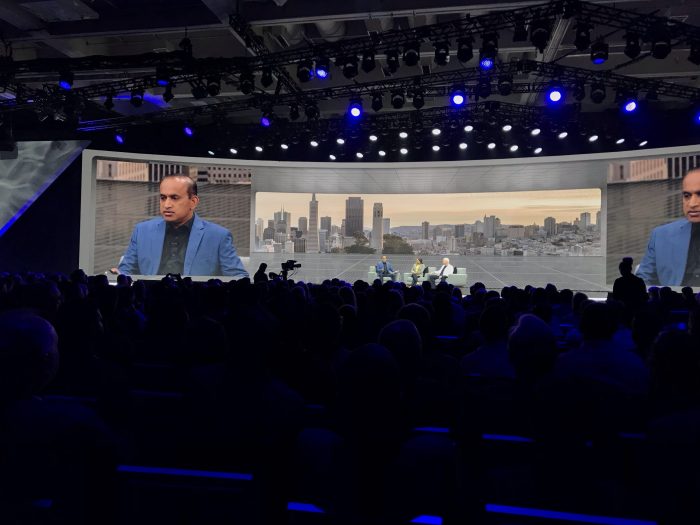
I launched the 1st (actually 2nd after the welcome video) which was the CEO keynote session. I thought this was good and the occasional interruption by executives ringing the CEO’s doorbell asking for toilet paper was entertaining. Again he welcomed us to the event and discussed how the pandemic has changed their world and ours. He thanked the customers in attendance and made brief mention of the video (tracks) that one could follow. I don’t recall but the CEO keynote didn’t seem to have any (or many) slides during his session it was just like an informal talk (but) scripted.
It took me a while to figure out how to get back to the main agenda page but once there I proceeded on my chosen track to watch the next video. When I was finished with that I watched the other 3 track videos. The video tracks were not as good as the CEO keynote session and some of them had many more slides than they needed.

They also had a customer interview with an exec which was great and well done. Especially given it seemed to have been recorded over the prior 48 hours.

Somewhere in all of this, I happened to reach the Expo floor. It had a series of technical break out sessions and then the exhibitor buttons which had their own videos, reports, webinars that one could watch/read.

I watched most of the technical breakouts (at least part way through). The tech breakouts were ok, but also had mixed quality as I remember it. That is some having more or less slides and more or less webinar like.

I also watched a few of the exhibitor videos. Some of these auto started when you clicked on their expo buttons, some did not. Some videos were very loud while others were fine.

I’d say the mixed quality of the exhibits were similar to what one might see at any conference with bigger vendors having more polished content while smaller vendors had less polished content.

The conference had a public chat channel but there was one channel for the whole conference and it didn’t appear until much later (maybe when I entered the first breakout sessions or expo “hall”)

How to make our next virtual conference better

Below are my thoughts on ways to improve the virtual conference experience.

• Have real scheduled times to watch the videos/webinars/tech sessions. Yes there all online and can truly be watched at any time you want. But I expected a scheduled agenda with breaks between sessions and to have to pick which one I wanted to go to, meaning that some would have to be unattended. I would suggest that the videos only be available during the event at scheduled time slots and that the event organizers build in breaks between each session. They could always be made available at a later date under a conference media page for further viewing but having them scheduled to run in a conference room would make it more conference like. The tracks could be scheduled in other side rooms of the conference.

• Also, would it be too much to ask that they have some sort of video roll call of participants with headshots and maybe a title. Something akin to a conference badge. Perhaps they could show this during the breaks between sessions. Even if you rolled through the virtual badge shots quickly, during breaks, it would act as sort of an analog of walking from one session to another.

• I don’t know whether there was any interest in social media, but having a twitter, facebook, other social media event hash tag prominently displayed on the bottom 1/3rd or on some early slide deck would have been useful. To generate some social buz

• Also, at conferences, one can typically see a screen which tracks the social media hash tag. I saw none of this at the event. Having some small panel running social media activity might have led to more social media interaction. It could be along the side of the main page, viewable during all videos, breaks and other sessions.

• As for the public chat. I think it would have been better to have a separate chat channels for each video, breakout, exhibit, etc. rather than having a single chat room for the whole conference. It would have been great if the separate chat window popped up when you started viewing a video, breakout or entered an exhibit.

• Have lots more technical breakouts. didn’t see a great quantity of these maybe 5-7 tech breakouts and the 4 original tech track videos. Again separate chat channels so one could ask questions pertaining to the session would have been great.

• The exhibits were all other vendors (sponsors) showing there stuff. I didn’t see any show and tell for the conference event organizers that one would see in any conference if you walked out on the show floor. Would it have been to much to ask to have a virtual walk through tour of each of the conference organizers products and a couple of demos of their products/services. Just like one could see at any conference.
• The expo floor exhibitor sessions could be left available to view anytime the event was “open” but the tech breakout sessions would be available multiple times a day but scheduled just like any other event sessions. And it would be nice to have a separate chat channel for each expo exhibitor and tech break out sessions., so we could ask questions of their staff.

• Another thing available at most conference events is a social media booth where bloggers, podcasters, and vloggers could sit around and talk about the event and their products and whatever else came to mind. I didn’t see anything like this and having a separate chat window for these booths would be useful.

• Also, it would be nice if one could obtain vendor certifications or a detailed tutorials on some product/service.

• On a personal note, I am an industry analyst it would be nice to have a separate analyst track. I come to these events to have face time with execs and get a download on what their upcoming strategy is and how they did over the last year or so. Yes these could all be done offline but they could also be accomplished during the event with its own secure chat channel

• I’m also an influencer. So having a separate press track would have been great as well. Often the analyst and press track overlap for a couple of sessions and then go there separate (NDA) ways.

• For both the analysts and the Press/influencers having a live Q&A session with the execs, technical team, and select customers would have been great. But alas there was nothing like this. But with a separate secure chat room this could have also been done.

• I can’t stress enough that the conference event navigation needs to be better and more intuitive.

I know that there’s a lot here and there’s probably a whole bunch more that could be done better. Other people will no doubt have their own opinions. But these are mine.

It was the first virtual conference (I attended) and the vendor sort of played iit by ear and designing it almost in real time. Given all that, they did a great job. Now it’s time to do better.

I’m a conference geek. I go to an average of 10 or more vendor conferences a year so this is a major part of what I do.

IMHO, nothing besides ubiquitous, true virtual reality will ever replace the effectiveness of in real life conferences. That being said, there are ways to make current virtual events come closer to real conferences.

~~~~

I thought about sending this to the conference organizers but their conference is over, and hopefully next year it will be back IRL. But there’s plenty more virtual conferences left on my schedule for this year.

I would prefer all of them to be done better, for me, analysts, press/influencers and ultimately customers.

Were all in this together.

Comments.

Google Docs as subversive technology

Read an article the other day in TechReview (How Google Docs became the social media of the resistance) about how Google Docs was being used to help coordinate and promote the resistance surrounding the recent Black Lives Matter movement.

The article points out that Google Docs are sharing resources around anti-racism, email templates, bail resources, pro-bono legal assistance, etc. to help inform and coordinate the movements actions and activities.

Social unrest, the killer app for Google Docs

Protests could be the killer app for shared Google Docs. Facebook and other social media sites are better used for documenting the real time interactions during protests, but coordinating, motivating and informing the protests and protestors is better accomplished using Google Docs, a simple web based, document editor and sharing service.

In pre-internet days, I suppose all this would have been done on hand copied, typeset printed, carbon copied or photocopied theses/phamplets/fliers/printouts. For example, Luther’s list of grievances nailed to the cathedral door, Common Sense pamphlet during the USA revolutionary war to countless fliers during the 60’s protests, all these used the technology of the day to promote protest and revolution.

Nowadays all it takes is a shared Google Doc and a Google (drive) account.

Google Docs are everywhere

The high school that one of my kids went to uses Google Docs for sharing and submitting homework assignments.

Google Docs are shareable because they are hosted on Google Drives. Docs is just one component of the Google (G-)suite of web based apps that includes Google Sheets (spreadsheets), Google Slides (presentations) and Google Drives (object storage).

Moreover, any Google Doc, Sheet or Slide file can be shared and edited by anyone. And Google services like Docs, Sheets, and Slides are useable anonymously, Anyone onlin, can make a change to a shareable/editable doc, sheet, or slide and their changes are automatically saved to the google drive file.

Another thing is that any Google Doc can be shared with just a URL. And they can also be made read-only (or uneditable) by their owner at any time. And of course any Google Doc is backed up automatically by Google drive services.

Owners of documents can revert to previous versions of a Doc file. So if someone incorrectly (or maliciously) changes a doc, the originator can revert it back to a prior version.

Why not use a Wiki

I would think a Wiki would be better to use to coordinate, motivate and inform a protest. Once a Wiki is setup and started, it can be much easier to navigate, as easy to update, and can become a central repository of all information about a movement/protest.

But it takes a lot more effort and IT-web knowledge to set up a Wiki. And it has to have it’s own web address.

Another problem with a Wiki, is that it can become a central point which can be more easily attacked or disturbed. And Wiki edit wars are pretty common, so they too are not immune to malicious behavior.

But with 10s to 100s of Google Docs, spread across user a similar number of user Google drives, Google Docs are a much more distributed resource, less prone to single point of attack. And they can be created and edited almost on a whim. And the only thing it takes is a Google log in and Google drive.

~~~~

Photo copiers were a controlled technology in the old Soviet Union and even today facebook and twitter are restricted in China and other authoritarian states.

But Google Doc’s seems to have become a much more ubiquitous tool and have become the latest technology, to aid, abet and support social resistance.

Photo credit(s):

Societal growth depends on IT

Read an interesting article the other day in SciencDaily (IT played a key role in growth of ancient civilizations) and a Phys.Org article (Information drove development of early states) both of which were reporting on a Nature article (Scale and information processing thresholds in Holocene social evolution) which discussed how the growth of society during ancient times was directly correlated to the information processing capabilities they possessed. In these articles IT meant writing, accounting, currency, etc., relatively primitive forms of IT but IT nonetheless.

Seshat: Global History Databank

What the researchers were able to do was to use the Seshat: Global History Databank which “systematically collects what is currently known about the social and political organization of human societies and how civilizations have evolved over time” and use the data to analyze the use of IT by societies.

We have talked about Seschat before (See our Data Analysis of History post)

The Seshat databank holds information on 30 (natural) geographical areas (NGA), ~400 societies and, their history from 4000 BCE to 1900CE.

Seschat has a ~100 page Code Book that identifies what kinds of information to collect on each society, how it is to be estimated, identified, listed, etc. to normalize the data in their databank. Their Code Book provides essential guidelines on how to gather the ~1500 variables collected on societies.

IT drives society growth

The researchers used the Seshat DB and ran a statistical principal component analysis (PCA) of the data to try to ascertain what drove society’s growth.

PCA (see wikipedia Principal Component Analysis article) essentially produces a list of variables and their inter-relationships. Their combined inter-relationships is essentially a percentage (%Var) of explanatory power in how much those variables explains the variance of all variables. PCA can be one, two, three or N-dimensional.

The researchers took Seshat 51 society variables and combined them into 9 (societal) complexity characteristics (CC)s and did a PCA of those variables across all the (285) society’s information available at the time.

Fig, 2 says that the average PC1 component of all societies is driven by the changes (increases and decreases) in PC2 components. Decreases of PC2 depend on those elements of PC2 which are negative and increases in PC2 depend on those elements of PC2 which are negative.

The elements in PC2 that provide the largest positive impacts are writing (.31), texts (.24), money (.28), infrastructure (.12) and gvrnmnt (.06). The elements in PC2 that provide the largest negative impacts are PolTerr (polity area, -0.35), CapPop (capital population, -0.27), PolPop (polity population, -0.25) and levels (?, -0.15). Below is another way to look at this data.

The positive PC2 CC’s are tracked with the red line and the negative PC2 CC’s are tracked with the blue line. The black line is the summation of the blue and red lines and is effectively equal to the blue line in Fig 2 above.

The researchers suggest that the inflection points in Fig 2 and the black line in Fig 3),represent societal information processing thresholds. Once these IT thresholds have passed they change the direction that PC2 takes on after that point

In Fig4 they have disaggregated the information averaged in Fig. 2 & 3 and show PC2 and PC1 trajectories for all 285 societies tracked in the Seshat DB. Over time as PC1 goes more positive, societie, start to converge on effectively the same level of PC2 . At earlier times, societies tend to be more heterogeneous with varying PC2 (and PC1) values.

Essentially, societies IT processing characteristics tend to start out highly differentiated but over time as societies grow, IT processing capabilities tend to converge and lead to the same levels of societal growth

Classifying societies by I

The Kadashev scale (see wikipedia Kardashev scale article) identifes levels or types of civilizations using their energy consumption. For example, The Kardashev scale lists the types of civilizations as follows:

  • Type I Civilization can use and control all the energy available on its planet,
  • Type II Civilization can use and control all the energy available in its planetary system (its star and all the planets/other objects in orbit around it).
  • Type III Civilization can use and control all the energy available in its galaxy

I can’t help but think that a more accurate scale for civilization, society or a polity’s level would a scale based on its information processing power.

We could call this the Shin scale (named after the primary author of the Nature paper or the Shin-Price-Wolpert-Shimao-Tracy-Kohler scale). The Shin scale would list societies based on their IT levels.

  • Type A Societies have non-existant IT (writing, money, texts, money & infrastructure) which severely limits their population and territorial size
  • Type B Societies have primitive forms of IT (writing, money, texts, money & infrastructure, ~MB (10**6) of data) which allows these societies to expand to their natural boundaries (with a pop of ~10M).
  • Type C Societies have normal (2020) levels of IT (world wide Internet with billions of connected smart phones, millions of servers, ZB (10**21) of data, etc.) which allows societies to expand beyond their natural boundaries across the whole planet (pop of ~10B).
  • Type D Societies have high levels of IT (speculation here but quintillion connected smart dust devices, trillion (10**12) servers, 10**36 bytes of data) which allows societies to expand beyond their home planet (pop of ~10T).
  • Type E Societies have high levels of IT (more speculation here, 10**36 smart molecules, quintillion (10**18) servers, 10**51 bytes of data ) which allows societies to expand beyond their home planetary system (pop of ~10Q).

I’d list Type F societies here but a can’t think of anything smaller than a molecule that could potentially be smart — perhaps this signifies a lack of imagination on my part.

Comments?

Photo Credit(s):

Hybrid digital training-analog inferencing AI

Read an article from IBM Research, Iso-accuracy DL inferencing with in-memory computing, the other day that referred to an article in Nature, Accurate DNN inferencing using computational PCM (phase change memory or memresistive technology) which discussed using a hybrid digital-analog computational approach to DNN (deep neural network) training-inferencing AI systems. It’s important to note that the PCM device is both a storage device and a computational device, thus performing two functions in one circuit.

In the past, we have seenPCM circuitry used in neuromorphic AI. The use of PCM here is not that (see our Are neuromorphic chips a dead end? post).

Hybrid digital-analog AI has the potential to be more energy efficient and use a smaller footprint than digital AI alone. Presumably, the new approach is focused on edge devices for IoT and other energy or space limited AI deployments.

Whats different in Hybrid digital-analog AI

As researchers began examining the use of analog circuitry for use in AI deployments, the nature of analog technology led to inaccuracy and under performance in DNN inferencing. This was because of the “non-idealities” of analog circuitry. In other words, analog electronics has some intrinsic capabilities that induce some difficulties when modeling digital logic and digital exactitude is difficult to implement precisely in analog circuitry.

The caption for Figure 1 in the article runs to great length but to summarize (a) is the DNN model for an image classification DNN with fewer inputs and outputs so that it can ultimately fit on a PCM array of 512×512; (b) shows how noise is injected during the forward propagation phase of the DNN training and how the DNN weights are flattened into a 2D matrix and are programmed into the PCM device using differential conductance with additional normalization circuitry

As a result, the researchers had to come up with some slight modifications to the typical DNN training and inferencing process to improve analog PCM inferencing. Those changes involve:

  • Injecting noise during DNN neural network training, so that the resultant DNN model becomes more noise resistant;
  • Flattening the resultant DNN model from 3D to 2D so that neural network node weights can be implementing as differential conductance in the analog PCM circuitry.
  • Normalizing the internal DNN layer outputs before input to the next layer in the model

Analog devices are intrinsically more noisy than digital devices, so DNN noise sensitivity had to be reduced. During normal DNN training there is both forward pass of inputs to generate outputs and a backward propagation pass (to adjust node weights) to fit the model to the required outputs. The researchers found that by injecting noise during the forward pass they were able to create a more noise resistant DNN.

Differential conductance uses the difference between the conductance of two circuits. So a single node weight is mapped to two different circuit conductance values in the PCM device. By using differential conductance, the PCM devices inherent noisiness can be reduced from the DNN node propagation.

In addition, each layer’s outputs are normalized via additional circuitry before being used as input for the next layer in the model. This has the affect of counteracting PCM circuitry drift over time (see below).

Hybrid AI results

The researchers modeled their new approach and also performed some physical testing of a digital-analog DNN. Using CIFAR-10 image data and the ResNet-32 DNN model. The process began with an already trained DNN which was then retrained while injecting noise during forward pass processing. The resultant DNN was then modeled and programed into a PCM circuit for implementation testing.

Part D of Figure 4 shows the Baseline which represents a completely digital implementation using FP32 multiplication logic; Experiment which represents the actual use of the PCM device with a global drift calibration performed on each layer before inferencing; Mode which represents theira digital model of the PCM device and its expected accuracy. Blue band is one standard-deviation on the modeled result.

One challenge with any memristive device is that over time its functionality can drift. The researchers implemented a global drift calibration or normalization circuitry to counteract this. One can see evidence of drift in experimental results between ~20sec and ~60 seconds into testing. During this interval PCM inferencing accuracy dropped from 93.8% to 93.2% but then stayed there for the remainder of the experiment (~28 hrs). The baseline noted in the chart used digital FP32 arithmetic for infererenci and achieved ~93.9% for the duration of the test.

Certainly not as accurate as the baseline all digital implementation, but implementing DNN inferencing model in PCM and only losing 0.7% accuracy seems more than offset by the clear gain in energy and footprint reduction.

While the simplistic global drift calibration (GDC) worked fairly well during testing, the researchers developed another adaptive (batch normalization statistical [AdaBS]) approach, using a calibration image set (from the training data) and at idle times, feed these through the PCM device to calculate an average error used to adjust the PCM circuitry. As modeled and tested, the AdaBS approach increased accuracy and retained (at least modeling showed) accuracy over longer time frames.

The researchers were also able to show that implementing part (first and last layers) of the DNN model in digital FP32 and the rest in PCM improved inferencing accuracy even more.

~~~~

As shown above, a hybrid digital-analog PCM AI deployment can provide similar accuracy (at least for CIFAR-10/ResNet-24 image recognition) to an all digital DNN model but due to the efficiencies of the PCM analog circuitry allowed for a more energy efficient DNN deployment.

Photo Credit(s):

Artistic AI

Read a couple of articles in the past few weeks on OpenAI’s Jukebox and another one on computer generated art, in Art in America, (artistically) Creative AI poses problems to art criticism. Both of these discuss how AI is starting to have an impact on music and the arts.

I can recall almost back when I was in college (a very long time ago) where we were talking about computer generated art work. The creative AI article talks some about the history of computer art, which in those days used computers to generate random patterns, some of which would be considered art.

AI painting

More recent attempts at AI creating artworks uses AI deep learning neural networks together with generative adversarial network (GANs). These involve essentially two different neural networks.

  • The first is an Art deep neural networks (Art DNN) discriminator (classification neural network) that is trained using an art genre such as classical, medieval, modern art paintings, etc. This Art DNN is used to grade a new piece of art as to how well it conforms to the genre it has been trained on. For example, an Art DNN, could be trained on Monet’s body of work and then it would be able to grade any new art on how well it conforms to Monet’s style of art.
  • The second is a Art GAN which is used to generate random artworks that can then be fed to the Art DNN to determine if it’s any good. This is then used as reinforcement to modify the Art GAN to generate a better match over time.

The use of these two types of networks have proved to be very useful in current AI game playing as well as many other DNNs that don’t start with a classified data set.

However, in this case, a human artist does perform useful additional work during the process. An artist selects the paintings to be used to train the Art DNN. And the artist is active in tweaking/tuning the Art GAN to generate the (random) artwork that approximates the targeted artist.

And it’s in these two roles that that there is a place for an (human) artist in creative art generation activities.

AI music

Using AI to generate songs is a bit more complex and requires at least 3 different DNNs to generate the music and another couple for the lyrics:

  • First a song tokenizer DNN which is a trained DNN used to compress an artist songs into, for lack of a better word musical phrases or tokens. That way they could take raw audio of an artist’s song and split up into tokens, each of which had 0-2047 values. They actually compress (encode) the artist songs using 3 different resolutions which apparently lose some information for each level but retain musical attributes such as pitch, timbre and volume.
  • A second musical token generative DNN, which is trained to generate musical tokens in the same distribution of a selected artist. This is used to generate a sequence of musical tokens that matches an artist’s musical work. They use a technique based on sparse transformers that can generate (long) sequences of tokens based on a training dataset.
  • A third song de-tokenizer DNN which is trained to take the generated musical tokenst (in the three resolutions) convert them to musical compositions.

These three pretty constitute the bulk of the work for AI to generate song music. They use data augmented with information from LyricWiki, which has the lyrics 600K recorded songs in English. LyricWiki also has song metadata which includes the artist, the genre, keywords associated with the song, etc. When training the music generator a they add the artist’s name and genre information so that the musical token generator DNN can construct a song specific to an artist and a genre.

The lyrics take another couple of steps. They have data for the lyrics for every song recorded of an artist from LyricWiki. They use a number of techniques to generate the lyrics for each song and to time the lyrics to the music. lexical text generator trained on the artist lyrics to generate lyrics for a song. Suggest you check out the explanation in OpenAI Jukebox’s website to learn more.

As part of the music generation process, the models learn how to classify songs to a genre. They have taken the body of work for a number of artists and placed them in genre categories which you can see below.

The OpenAI Jukebox website has a number of examples on their home page as well as a complete catalog behind their home page. The catalog has over a 7000 songs under a number of genres, from Acoustic to Rock and everything in between. In the fashion of a number of artists in each genre, both with and without lyrics . For the (100%) blues category they have over 75 songs and songs similar to artists from B.B. King to Taj Mahal including songs similar to Fats Domino, Muddy Water, Johnny Winter and more.

OpenAI Jukebox calls the songs “re-renditions” of the artist. And the process of adding lyrics to the songs as lyric conditioning.

Source code for the song generator DNNs is available on GitHub. You can use the code to train on your own music and have it generate songs in your own musical style.

The songs sound ok but not great. The tokenizer/de-tokenizer process results in noise in the music generated. I suppose more time resolution tokenizing might reduce this somewhat but maybe not.

~~~~

The AI song generator is ok but they need more work on the lyrics and to reduce noise. The fact that they have generated so many re-renditions means to me the process at this point is completely automated.

I’m also impressed with the AI painter. Yes there’s human interaction involved (atm) but it does generate some interesting pictures that follow in the style of a targeted artist. I really wanted to see a Picasso generated painting or even a Jackson Pollack generated painting. Now that would be interesting

So now we have AI song generators and AI painting generators but there’s a lot more to artworks than paintings and songs, such as sculpture, photography, videography, etc. It seems that many of the above approaches to painting and music could be applied to some of these as well.

And then there’s plays, fiction and non-fiction works. The songs are ~3 minutes in length and the lyrics are not very long. So anything longer may represent a serious hurdle for any AI generator. So for now these are still safe.

Photo credits:

Photonics + Nonlinear optical crystals = Quantum computing at room temp

Read an article the other day in ScienceDaily (Path to quantum computing at room temp) which was reporting on a Phys.Org article (Researchers see path to quantum computing at room temp). Both articles were discussing recent research documented in a Physical Review Letters (Controlled-Phase Gate Using Dynamically Coupled Cavities and Optical Nonlinearities, behind paywall) being done at the Army Research Laboratory, Army and MIT researchers used photonis circuits and non-linear optical (NLO) crystals to provide quantum entanglement between photon waves. I found a pre-print version of the paper on Arxiv.org, (Controlled-Phase Gate Using Dynamically Coupled Cavities and Optical Nonlinearities).

NLO Crystals

Nonlinear optics (source: Wikipedia Nonlinear Optics article) uses NLO crystals whicht when exposed to high electrical fields and high intensity light can modify or modulate light polarization, frequency, phase and path. For example:

Comparison of a phase-conjugate mirror with a conventional mirror. With the phase-conjugate mirror the image is not deformed when passing through an aberrating element twice.
  • Double or tripling light frequency, where one can double or triple the frequency of light (with two [or three] photons destroyed and a new one created).
  • Cross phase modulation where the wavelength phase of one photon can affect the wavelength phase of another photon.
  • Cross polarization wave generation where the polarization vector of a photon can be changed to be perpendicular to the original photon.
  • Phase conjugation mirror where light beams interact to exactly reverse “the propagation direction and phase variability” of a beam of light.

The Wikipedia article discusses a dozen more affects like this that NLO crystals can have on photons.

Quantum photon traps using NLO

MIT and Army researchers have theorized that there is another NLO crystal affect which can create a quantum photon trap. The researchers believe they can engineer a NLO crystal cavity(s) that act as a photon trap. With such an NLO crystal and photonics circuits, the traps could have the value of either a photon inside or a photon not inside the trap, but as it’s a quantum photon trap, it takes on both values at the same time.

Using photon trap NLO crystals, the researchers believe these devices could serve as room temperature qubits and quantum (photonic) gates.

The researchers state that with recent advances in nano-fabrication and the development of ultra-confined NLO crystals, experimental demonstrations of the photonics qubits and quantum gates appear feasible.

Quantum computing today

As our blog readers mayrecall, quantum computers today can take on many approaches but they all require extremely cold temperatures (a few Kelvin) to work. Even at that temperature quantum computing today is extremely susceptible to noise and other interference.

A quantum computer based on photonics, NLO crystals and operations at room temperature would be much more energy efficient, have many more qubits and much less susceptible to noise. Such a quantum computer could result in quantum computing being as ubiquitous as GPUs, TPU/IPUs or FPGA computational resources today .

Ubiquitous quantum computing would turn over our world. Digital information security today depends on mathematics for key exchanges which are extremely hard to do with digital computers. Quantum computers with sufficient qubits have no difficulty with such mathematics. Block chain relies on similar technology, so that too would also be at risk.

Standards organizations are working on security based on quantum proof algorithms but to date, we have yet to see any descriptions, let alone implementations of any quantum proof security in any information security scheme.

If what the researchers propose, pans out, advances in photonic quantum computing could restart information security of our world.

Photo Credit(s):

OFA DNNs, cutting the carbon out of AI

Read an article (Reducing the carbon footprint of AI… in Science Daily) the other day about a new approach to reducing the energy demands for AI deep neural net (DNN) training and inferencing. The article was reporting on a similar piece in MIT News but both were discussing a technique original outlined in a ICLR 2020 (Int. Conf. on Learning Representations) paper, Once-for-all: Train one network & specialize it for efficient deployment.

The problem stems from the amount of energy it takes to train a DNN and use it for inferencing. In most cases, training and (more importantly) inferencing can take place on many different computational environments, from IOT devices, to cars, to HPC super clusters and everything in between. In order to create DNN inferencing algorithms for use in all these environments, one would have to train a different DNN for each. Moreover, if you’re doing image recognition applications, resolution levels matter. Resolution levels would represent a whole set of more required DNNs that would need to be trained.

The authors of the paper suggest there’s a better approach. Train one large OFA (once-for-all) DNN, that covers the finest resolution and largest neural net required in such a way that smaller, sub-nets could be extracted and deployed for less weighty computational and lower resolution deployments.

The authors contend the OFA approach takes less overall computation (and energy) to create and deploy than training multiple times for each possible resolution and deployment environment. It does take more energy to train than training a few (4-7 judging by the chart) DNNs, but that can be amortized over a vastly larger set of deployments.

OFA DNN explained

Essentially the approach is to train one large (OFA) DNN, with sub-nets that can be used by themselves. The OFA DNN sub-nets have been optimized for different deployment dimensions such as DNN model width, depth and kernel size as well as resolution levels.

While DNN width is purely the number of numeric weights in each layer, and DNN depth is the number of layers, Kernel size is not as well known. Kernels were introduced in convolutional neural networks (CovNets) to identify the number of features that are to be recognized. For example, in human faces these could be mouths, noses, eyes, etc. All these dimensions + resolution levels are used to identify all possible deployment options for an OFA DNN.

OFA secrets

One key to the OFA success is that any model (sub-network) selected actually shares the weights of all of its larger brethren. That way all the (sub-network) models can be represented by the same DNN and just selecting the dimensions of interest for your application. If you were to create each and every DNN, the number would be on the order of 10**19 DNNs for the example cited in the paper with depth using {2,3,4) layers, width using {3,4,6} and kernel sizes over 25 different resolution levels.

In order to do something like OFA, one would need to train for different objectives (once for each different resolution, depth, width and kernel size). But rather than doing that, OFA uses an approach which attempts to shrink all dimensions at the same time and then fine tunes that subsets NN weights for accuracy. They call this approach progressive shrinking.

Progressive shrinking, training for different dimensions

Essentially they train first with the largest value for each dimension (the complete DNN) and then in subsequent training epochs reduce one or more dimensions required for the various deployments and just train that subset. But these subsequent training passes always use the pre-trained larger DNN weights. As they gradually pick off and train for every possible deployment dimension, the process modifies just those weights in that configuration. This way the weights of the largest DNN are optimized for all the smaller dimensions required. And as a result, one can extract a (defined) subnet with the dimensions needed for your inferencing deployments.

They use a couple of tricks when training the subsets. For example, when training for smaller kernel sizes, they use the center most kernels and transform their weights using a transformation matrix to improve accuracy with less kernels. When training for smaller depths, they use the first layers in the DNN and ignore any layers lower in the model. Training for smaller widths, they sort each layer for the highest weights, thus ensuring they retain those parameters that provide the most sensitivity.

It’s sort of like multiple video encodings in a single file. Rather than having a separate file for every video encoding format (Mpeg 2, Mpeg 4, HVEC, etc.), you have one file, with all encoding formats embedded within it. If for example you needed Mpeg-4, one could just extract those elements of the video file representing that encoding level

OFA DNN results

In order to do OFA, one must identify, ahead of time, all the potential inferencing deployments (depth, width, kernel sizes) and resolution levels to support. But in the end, you have a one size fits all trained DNN whose sub-nets can be selected and deployed for any of the pre-specified deployments.

The authors have shown (see table and figure above) that OFA beats (in energy consumed and accuracy level) other State of the Art (SOTA) and Neural (network) Architectural Search (NAS) approaches to training multiple DNNs.

The report goes on to discuss how OFA could be optimized to support different latency (inferencing response time) requirements as well as diverse hardware architectures (CPU, GPU, FPGA, etc.).

~~~~

When I first heard of OFA DNN, I thought we were on the road to artificial general intelligence but this is much more specialized than that. It’s unclear to me how many AI DNNs have enough different deployment environments to warrant the use of OFA but with the proliferation of AI DNNs for IoT, automobiles, robots, etc. their will come a time soon where OFA DNNs and its competition will become much more important.

Comments

Photo Credit(s):

Breaking optical data transmission speed records

Read an article this week about records being made in optical transmission speeds (see IEEE Spectrum, Optical labs set terabit records). Although these are all lab based records, the (data center) single mode optical transmission speed shown below is not far behind the single mode fibre speed commercially available today. But the multi-mode long haul (undersea transmission) speed record below will probably take a while longer until it’s ready for prime time.

First up, data center optical transmission speeds

Not sure what your data center transmission rates are but it seems pretty typical to see 100Gbps these days and inter switch at 200Gbps are commercially available. Last year at their annual Optical Fiber Communications (OFC) conference, the industry was releasing commercial availability of 400Gbps and pushing to achieve 800Gbps soon.

Since then, the researchers at Nokia Bell Labs have been able to transmit 1.52Tbps through a single mode fiber over 80 km distance. (Unclear, why a data center needs an 80km single mode fibre link but maybe this is more for a metro area than just a datacenter.

Diagram of a single mode (SM) optical fiber: 1.- Core 8-10 µm; 2.- Cladding 125 µm; 3.- Buffer 250 µm; & 4.- Jacket 400 µm

The key to transmitting data faster across single mode fibre, is how quickly one can encode/decode data (symbols) both on the digital to analog encoding (transmitting) end and the analog to digital decoding (receiving) end.

The team at Nokia used a new generation silicon-germanium chip (55nm CMOS process) able to generate 128 gigabaud symbol transmission (encoding/decoding) with 6.2 bits per symbol across single mode fiber.

Using optical erbium amplifiers, the team at Nokia was able to achieve 1.4Tbps over 240km of single mode fibre.

A wall-mount cabinet containing optical fiber interconnects. The yellow cables are single mode fibers; the orange and aqua cables are multi-mode fibers: 50/125 µm OM2 and 50/125 µm OM3 fibers respectively.

Used to be that transmitting data across single mode fibre was all about how quickly one could turn laser/light on and off. These days, with coherent transmission, data is being encoded/decoded in amplitude modulation, phase modulation and polarization (see Coherent data transmission defined article).

Nokia Lab’s is attempting to double the current 800Gbps data transmission speed or reach 1.6Tbps. At 1.52Tbps, they’re not far off that mark.

It’s somewhat surprising that optical single mode fibre technology is advancing so rapidly and yet, at the same time, commercially available technology is not that far behind.

Long haul optical transmission speed

Undersea or long haul optical transmission uses multi-core/mode fibre to transmit data across continents or an ocean. With multi-core/multi-mode fibre researchers and the Japan National Institute for Communications Technology (NICT) have demonstrated a 3 core, 125 micrometer wide long haul optical fibre transmission system that is able to transmit 172Tbps.

The new technology utilizes close-coupled multi-core fibre where signals in each individual core end up intentionally coupled with one another creating a sort of optical MIMO (Multi-input/Multi-output) transmission mechanism which can be disentangled with less complex electronics.

Although the technology is not ready for prime time, the closest competing technology is a 6-core fiber transmission cable which can transmit 144Tbps. Deployments of that cable are said to be starting soon.

Shouldn’t there be a Moore’s law for optical transmission speeds

Ran across this chart in a LightTalk Blog discussing how Moore’s law and optical transmission speeds are tracking one another. It seems to me that there’s a need for a Moore’s law for optical cable bandwidth. The blog post suggests that there’s a high correlation between Moore’s law and optical fiber bandwidth.

Indeed, any digital to analog optical encoding/decoding would involve TTL, by definition so there’s at least a high correlation between speed of electronic switching/processing and bandwidth. But number of transistors (as the chart shows) and optical bandwidth doesn’t seem to make as much sense probably makes the correlation evident. With the possible exception that processing speed is highly correlated with transistor counts these days.

But seeing the chart above shows that optical bandwidth and transistor counts are following each very closely.

~~~~

So, we all thought 100Gbps was great, 200Gbps was extraordinary and anything over that was wishful thinking. With, 400Gbps, 800 Gbps and 1.6Tbps all rolling out soon, data center transmission bottlenecks will become a thing in the past.

Picture Credit(s):