Mobile devices as a cache for cloud data

3030107334_945202743c_z
Howard Marks (DeepStorage.net) and I were on a GreyBeard’s podcast last month (PB are the new TB) talking with the CTO (Brian Carmody [@initzero]) of hybrid storage vendor, Infinidat, who just happened to mention in passing that “our mobile devices pretty much act as caches for cloud data”. That’s interesting.

Mobile app’s caching data

There’s a part of me that couldn’t agree more. Most of my mobile mail uses IMAP which acts as a browser for email residing elsewhere. Radio apps stream music from the cloud. Photo apps can store pictures on the cloud. Social media apps (Facebook, LinkedIN, Twitter, etc.) use the cloud to store posts/pokes/photos and only cache minimal data locally. There are many more apps that act similarly.

But not all data is cached

On the other hand, I have downloaded all of my music library to my mobile devices. There was a time when I was more selective but later generation devices have more than enough storage to hold it all.

Movies are another.  Most purchased movies are download to my desktop. With only 64GBs of storage on my iPad/iPhone, I have to be a bit more judicious with which movies I store on the devices. Most of the time, when I am watching movies on mobile devices, I don’t have Internet access, so caching/streaming won’t work. Yet, for some services (Amazon Prime Video & Apple TV) I do stream at home and then the TV or AppleTV caches cloud media.

My photo library is similar, there’s just too many photos to fit them all on the  device. So for now, they reside on my desktop, only a select subset are copied to the device.

Contacts, passwords, calendars and countless other datums that reside on the cloud or my desktop computer are also replicated (not cached) on mobile devices. Could they be cached, probably, but with the need for these items, even when internet service is not available, caching them makes no sense.

Storage caching vs. mobile device caching

Storage caches are pretty sophisticated and Infinidat’s as sophisticated as any of them. Historically, storage caching is resilient in the face of power outages, storage device failures, software bugs, etc. Essentially, when storage data hits the cache the storage system “guarantees” to write it to backend storage, some time in the future. Read data caching requires less resilience/fault tolerance because data already resides somewhere else on backend storage.

It’s unclear whether mobile caching has similar strengths. As each app caches data in it’s own way, there would be less resilience in mobile caching than storages subsystem caches. But I am no app developer, so don’t have a clue as to what caching services are available within the mobile app ecosystem.

Device internet speed too slow

One thing that keeps me storing data on my mobile devices is the speed of Wi-Fi and cellular internet. It’s often much slower than I would like. I suppose when these speed up there would be less need to save data on my mobile devices. But by that time, mobile storage will bemuch cheaper as well and I will have even more data to cache/store. So who knows.

Then again in the foreseeable future, there will be times without cellular or Wi-Fi Internet. So , storing data on the mobile device will always be the way to go at least for some data.

Maybe Brian’s right

From my perspective, Brian is partially right about the mobile devices caching cloud data. But maybe it’s just because I am old school that I decide to store a lot of data on my mobile devices.

From Brian’s perspective, all that data is stored elsewhere (desktop or cloud). So it all could be cached and probably should be.

As the world rolls out IoT, with even less storage at the edge, caching cloud data will become even more of a necessity. Hopefully by then Internet access will become even more universal than it is already.

Comments?

Photo Credits: Blake Patterson, iPhone apps sphere

The data is the hybrid cloud

CRKtHnqVEAABeviI have been at NetApp Insight2015 conference the past two days and have been struck with one common theme. They have been talking since the get-go about the Data Fabric and how Clustered Data ONTAP (cDOT) is the foundation to the NetApp Data Fabric which spans on premises, private cloud, off premises public cloud and everything in between.

But the truth of the matter is that it’s data that real needs to span all these domains. Hybrid cloud really needs to have data movement everywhere. NetApp cDOT is just the enabler that helps move the data around much easier.

NetApp cDOT data services

From a cDOT perspective, NetApp has available today:

  • Cloud ONTAP – a software defined ONTAP storage service executing in the cloud, operating on cloud server provider hardware using DAS storage and providing ONTAP data services for your private cloud resident data.
  • ONTAP Edge – similar to Cloud ONTAP, but operating on premises with customer commodity server & DAS hardware and providing ONTAP data services.
  • NetApp Private Storage (NPS) – NetApp storage systems operating in a “near cloud” environment that is directly connected to cloud service providers that provides NetApp storage services with low latency/high IOPs storage to cloud compute applications.
  • NetApp cDOT on premises storage hardware – NetApp storage hardware with All Flash FAS as well as normal disk-only and hybrid FAS storage hardware supplying ONTAP data services to on premises applications.

NetApp Data Fabric

NetApp’s Data Fabric is built on top of ONTAP data services and allows a customer to use any of the above storage instances to host their private data. Which is great in and of itself, but when you realize that a customer can also move their data from anyone of these ONTAP storage instances to any other storage instance that’s when you see the power of the Data Fabric.

The Data Fabric depends mostly on storage efficient ONTAP SnapMirror data replication and ONTAP data cloning capabilities. These services can be used to replicate ONTAP data (LUNs/volumes) from one cDOT storage instance to another and then use ONTAP data cloning services to create accessible copies of this data at the new location. This could be on premises to near cloud, to public cloud or back again, all within the confines of ONTAP data services.

Data Fabric in action

Now I like the concept but they also showed an impressive demo of using cDOT and AltaVault (NetApp’s solution acquired last year from Riverbed, their SteelStor backup appliance) to perform an application consistent backup of a SQL database. But once they had this it went a little crazy.

They SnapMirrored this data from the on premises storage to a near cloud, NPS storage instance, then cloned the data from the mirrors and after that fired up applications running in Azure to process the data. Then they shut down the Azure application and fired up a similar application in AWS using the exact same NPS hosted data. Of course they then SnapMirrored the same backup data (I think from the original on premises storage) to Cloud ONTAP, just to show it could be done there as well.

Ok I get it, you can replicate (mirror) data from any cDOT storage instance (whether on premises or remote site or near cloud NPS or in the cloud using Cloud ONTAP or …). Once there you can clone this data and use it with applications running in any environment running with access to this data instance (such as AWS, Azure and cloud service providers).

And I like the fact that all this can be accomplished in NetApp’s Snap Center software. And I especially like the fact that the clones don’t take up any extra space and the replicant mirroring is done in a quick, space efficient (read deduped) manner

But, having to setup a replication or mirror association between cDOT on premises and cDOT at NPS or Cloud ONTAP and then having to clone the volumes at the target side seems superflous. What I really want to do is just copy or move the data and have it be at the target site without the mirror association in the middle. It’s almost like what I want is CLONE that operates across cDOT storage instances wherever they reside.

Well I’m an analyst and don’t have to implement any of this (thank god). But what NetApp seems to have done is to use their current tools and ONTAP data service capabilities to allow customer data to move anywhere it needs to be, in  customer controlled, space efficient, private and secure manner. Once hosted at the new site, applications have access to this data and customers still have all the ONTAP data services they had on premises but in cloud and near cloud locations.

Seems pretty impressive to me for all of a customer’s ONTAP data. But when you combine the Data Fabric with Foreign LUN Import (importing non-NetApp data into ONTAP storage) and FlexArray (storage virtualization under ONTAP) you can see how all the Data Fabric can apply to non-NetApp storage instances as well and then it becomes really interesting.

~~~~

There was a company that once said that “The Network is the Computer” but today, I think a better tag line is “The Data is the Hybrid Cloud”.

Comments?


When 64 nodes are not enough

Why would VMware with years of ESX development behind them want to develop a whole new virtualization system for Docker and other container frameworks. Especially since they already have a compatible Docker support in their current product line.

The main reason I can think of is that a 64 node cluster may be limiting to some container services and the likelihood of VMware ESX/vSphere to supporting 1000s of nodes in a single cluster seems pretty unlikely. So given that more and more cloud services are being deployed across 1000s of nodes using container frameworks, VMware had to do something or say goodbye to a potentially lucrative use case for virtualization.

Yes over time VMware may indeed extend vSphere clusters to 128 or even 256 nodes but by then the world will have moved beyond VMware services for these services and where will VMware be then – left behind.

Photon to the rescue

With the new Photon system VMware has an answer to anyone that needs 1000 to 10,000 server cluster environments. Now these customers can easily deploy their services on a VMware Photon Platform which is was developed off of ESX but doesn’t have any cluster limitations of ESX.

Thus, the need for Photon was now. Customers can easily deploy container frameworks that span 1000s of nodes. Of course it won’t be as easy to manage as a 64 node vSphere cluster but it will be easy automated and easier to deploy and easier to scale when necessary, especially beyond 64 nodes.

The claim is that the new Photon will be able to support multiple container frameworks without modification.

So what’s stopping you from taking on the Amazons, Googles, and Apples of the worlds data centers?

  • Maybe storage, but then there’s ScaleIO, and the other software defined storage solutions that are there to support local DAS clusters spanning almost incredible sizes of clusters.
  • Maybe networking, I am not sure just where NSX is in the scheme of things but maybe it’s capable of handling 1000s of nodes and maybe not but networking could be a clear limitation to what how many nodes can be deployed in this sort of environment.

Where does this leave vSphere? Probably continuation of the current trajectory, making easier and more efficient to run VMware clusters and over time extending any current limitations. So for the moment two development streams based off of ESX and each being enhanced for it’s own market.

How much of ESX survived is an open question but it’s likely that Photon will never see the VMware familiar services and operations that is readily available to vSphere clusters.

Comments?

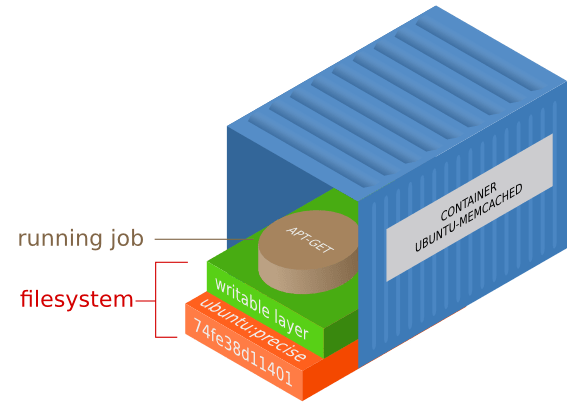
Photo Credit(s): A first look into Dockerfile system

EMCWorld2015 Day 2&3 news

Some additional news from EMCWorld2015 this week:

IMG_4527 IMG_4528 IMG_4531EMC announced directed availability for DSSD, their Rack scale shared Flash storage solution using a PCIe3 (switched) fabric with 36 dual ported, flash modules, which hold 512 NAND chips for 144TB NAND flash storage. On the stage floor they had a demonstration pitting a  40 node Hadoop cluster with DAS against a 15 node Hadoop cluster using the DSSD, both running HIVE and working on the same Query. By the time the 40node/DAS solution got to about 2% of the query completion the 15node/DSSD based cluster had finished the query without breaking a sweat. They then ran an even more complex query and it took no time at all.

They also simulated a copy of a 4TB file (~32K-128K IOs) from memory to memory and it took literally seconds, then copied it to SSD that took considerably longer (didn’t catch how long but much longer than memory), and then they showed the same file copy to DSSD and it only took seconds, almost looked exactly a smidgen slower than the memory to memory copy.

They said the PCIe fabric (no indication what the driver was) provided much more parallelism to the dual ported flash storage that the system was almost able to complete the 4TB copy at memory to memory speeds. It was all pretty impressive, albeit a simulation of the real thing.

EMC indicated that they designed the flash modules themselves and expect to double capacity of the DSSD to 288TB shortly. They showed the controller board that had a mezzanine board over a part of it, but together had 12 major chips on it which I assume had something to do with the PCIe fabric. They said there were two controllers in the system for high availability and the 144TB DSSD was deployed in 5U of space.

I can see how this would play well for real time analytics, high frequency trading and HPC environments but there’s more to shared storage than just speed. Cost wasn’t mentioned neither was the software driver but with the ease with which it worked on the Hive query, I can only assume at some lever it must look something like a DAS device but with memory access times… NVMe anyone?

Project CoprHD was announced which open sourced EMC’s ViPR Controller software. Many ViPR customers were asking for EMC to open source ViPR controller, apparently their listening. Hopefully this will enable some participation from non-EMC storage vendors to allow their storage to be brought under the management of ViPR Controller. I believe the intent is to have an EMC hardened/supported version of Project CoprHD or ViPR Controller to coexist with the open source project version which anyone can download and modify for themselves.

A Non-production, downloadable version of ScaleIO was also announced. The test-dev version is a free download with unlimited capacity, full functionality and available for an unlimited time but only for non-production use.  Another of the demos onstage this morning was Chad configuring storage across a ScaleIO cluster and using its QoS services to limit the impact of a specific workload. There was talk that ScaleIO was available previously as a free download but it took a bunch of effort to find and download. They have removed all these prior hindrances and soon, if not today it’s freely available for anyone. ScaleIO runs on VMware and other hypervisors (maybe bare metal as well). So if you wanted to get your feet wet with software defined storage, this sounds like the perfect opportunity.

ECS is being added to EMC’s Data Lake foundation. Not exactly sure what are all the components in the data lake solution but previously the only Data Lake storage was Isilon based. This week EMC added Elastic Cloud Storage to the picture. Recall that Elastic Cloud Storage comes in either a software only or hardware appliance deployment and provides object storage.

I missed Project Liberty before but it’s a virtual VNX appliance, software only version.  I assume this is intended for ROBO deployments or very low end business environments. Presumably it runs on VMware and has some sort of storage limitations. It seems, more and more of EMC products are coming out in virtual appliance versions.

Project Falcon was also announced which is a virtual Data Domain appliance, software only solution, targeted for ROBO environments and other small enterprises. The intent is to have an onramp for DataDomain backup storage.  I assume runs under VMware.

Project Caspian – rolling out CloudScaling orchestration/automation for OpenStack deployments. On the big stage today, Chad and Jeremy demonstrated Project Caspian on a VCE VxRACK deploying racks of servers under OpenStack control. They were able within a couple of clicks define and deploy openstack on bare metal hardware and deploy applications to the OpenStack servers. They had a monitoring screen which showed the OpenStack server activity (transactions) in real time and showed an over commit of the rack and how easy it was to add a new rack with more servers. All this seemed to take but a few clicks. The intent is not to create another OpenStack distribution but to provide an orchestration/automation/monitoring layer of software on top of OpenStack to “industrialize OpenStack” for enterprise users. Looked pretty impressive to me.

I would have to say the DSSD box was most impressive. It would have been interesting to get an upclose look at the box with some more specifications but they didn’t have one on the Expo floor.

EMCWorld2015 day 1 news

We are at EMCWorld2015 in Vegas this week. Day 1 was great with new XtremIO 4.0, “The Beast”, new enhanced Data Protection, and a new VCE VxRACK converged infrastructure solution announcements. Somewhere in all the hoopla I saw an all flash VNXe appliance and VMAX3 with a cloud storage tier but these seemed to be just teasers.

XtremIO 4.0

The new hardware provides 40TB per X-brick and with compression/dedupe and the new 8-Xbrick cluster provides 320TB raw or 1.9PB effective capacity. As XtremIO supports 150K mixed IOPS/XBrick, an 8-Xbrick cluster could do 1.2M IOPS or with 250K read IOPS/Xbrick that’s 2.0M IOPS.

XtremIO 4.0 now also includes RecoverPoint integration. (I assume this means they have integrated the write splitter directly into XtremIO that way you don’t need the host version or the switch version of the write splitter.)

The other thing XtremIO 4.0 introduces is non-disruptive upgrades. This means that they can expand or contract the cluster without taking down IO activity.

There was also some mention of better application consistent snapshots, which I suspect means Microsoft VSS integration.

XtremIO 4.0 is a free software upgrade, so the ability to scale up to 8-Xbricks and non-disruptive cluster changes, and RecoverPoint integration can all be added to current XtremIO systems.

Data Protection

EMC introduced a new top end DataDomain hardware appliance the DataDomain 9500, which has 1.5X the performance (58.7TB/hr) and 4X the capacity (1.7PB) of their nearest competitor solution.

They also added a new software feature (from Maginetics) called CloudBoost™.  CloudBoost allows Networker and Avamar to backup to cloud storage. EMC also added Microsoft Ofc365 cloud backup to Spannings previous Google Apps and SalesForce cloud backups.

VMAX3 Protect Point was also enhanced to provide native backup for Oracle, Microsoft SQL Server, and IBM DB2 application environments. ProtectPoint offers a direct path between VMAX3 and  DataDomain appliances and can speed up backup performance by 20X.

EMC also announced Project Falcon which is a virtual appliance version of DataDomain software

VCE VxRACK

This is a rack sized, stack of VSPEX Blue appliances (a VMware EVO:RAIL solution) with new software to bring the VCE useability and data center scale services to a hyper-converged solution. Each appliance is a 2U rack mounted compute intensive or storage intensive unit. The Blue appliances are configureed in a rack for VxRACK and with version 1 you can use VMware or KVM as a chose your own hypervisor. Version 2 will come out later this year and will be based on a complete VMware stack known as EVO: RACK.

Storage services are supplied by EMC ScaleIO. You can purchase a 1/4 rack, 1/2  rack or full rack which includes top of rack networking. You can also scale out by adding more full racks to the system. EMC said that it can technically support 1000s of racks VSPEX Blue appliances for up to ~38PB of storage.

The significant thing is that the VCE VxRACK supplies the VCE customer experience, in a hyper converged solution. However, the focus for VxRACK is tier 2 applications that don’t have a need for the extremely high availability, low response times and high performance of tier 1 applications that run on their VBLOCK solutions (with VNX, VMAX or XtremIO storage).

VMAX3

They had a 5th grader provision an VMAX3 gold storage (LUN) and convert it to a diamond storage (LUN) in 20.48 seconds. It seemed pretty simple to me but the kid blazed through the screens a bit fast for me to see what was going on. It wasn’t nearly as complex as it used to be.

VMAX3 also introduces CloudArray™, which uses FastX storage tiering to cloud storage (using onboard TwinStrata software). This could be used as a tier 3 or 4 storage. EMC also mentioned that you can have an XtremIO (maybe an Xbrick) behind a VMAX3 storage system. VMAX3’s software rewrite has separated data services from backend storage and one can see EMC rolling out different backend storage (like cloud storage or XtremIO) in future offerings.

Other Notes

There was a lot of discussion about the “Information Generation” a new customer for IT services. This is tied to the 3rd platform transformation that’s happening in the industry today. To address this new world IT needs to have 5 attributes:

  1. Predictively spot new opportunities for services/products
  2. Deliver a personalized experience
  3. Innovate in an agile way
  4. Develop trusted programs/apps Demonstrate transparency & trust
  5. Operate in real time

David Goulden talked a lot about what this all means and I encourage you to take a look at the video stream to learn more.

Speaking of video last year was the first year there were more online viewers of EMCWorld than actual participants. So this year EMC upped their game with more entertainment value. The opening dance sequence was pretty impressive.

A lot of talk today was on 3rd platform and the transition from 2nd platform. EMC says their new products are Platform 2.5 which are enablers for 3rd platform. I asked the question what the 3rd platform storage environment looks like and they said scale-out (read ScaleIO) converged storage environment with flash for meta-data/indexing.

As the 3rd platform transforms IT there will be some customers that will want to own the infrastructure, some that will want to use service providers and some that will use public cloud services. EMC’s hope is to capture those customers that want to own it or use service providers.

Tomorrow the focus will be on the Federation with Pivotal and VMware being up for keynotes and other sessions. Stay tuned.


Transporter, a private Dropbox in a tower

Move over Dropbox, Box and all you synch&share wannabees, there’s a new synch and share in town.

At SFD7 last month, we were visiting with Connected Data where CEO, Geoff Barrell was telling us all about what was wrong with today’s cloud storage solutions. In front of all the participants was this strange, blue glowing device. As it turns out, Connected Data’s main product is the File Transporter, which is a private file synch and share solution.

All the participants were given a new, 1TB Transporter system to take home. It was an interesting sight to see a dozen of these Transporter towers sitting in front of all the bloggers.

I was quickly, established a new account, installed the software, and activated the client service. I must admit, I took it upon myself to “claim” just about all of the Transporter towers as the other bloggers were still paying attention to the presentation.  Sigh, they later made me give back (unclaim) all but mine, but for a minute there I had about 10TB of synch and share space at my disposal.

Transporters rule

transporterB2So what is it. The Transporter is both a device and an Internet service, where you own the storage and networking hardware.

The home-office version comes as a 1 or 2TB 2.5” hard drive, in a tower configuration that plugs into a base module. The base module runs a secured version of Linux and their synch and share control software.

As tower power on, it connects to the Internet and invokes the Transporter control service. This service identifies the node, who owns it, and provides access to the storage on the Transporter to all desktops, laptops, and mobile applications that have access to it.

At initiation of the client service on a desktop/laptop it creates (by default) a new Transporter directory (folder). Files that are placed in this directory are automatically synched to the Transporter tower and then synchronized to any and all online client devices that have claimed the tower.

Apparently you can have multiple towers that are claimed to the same account. I personally tested up to 10 ;/ and it didn’t appear as if there was any substantive limit beyond that but I’m sure there’s some maximum count somewhere.

A couple of nice things about the tower. It’s your’s so you can move it to any location you want. That means, you could take it with you to your hotel or other remote offices and have a local synch point.

Also, initial synchronization can take place over your local network so it can occur as fast as your LAN can handle it. I remember the first time I up-synched 40GB to DropBox, it seemed to take weeks to complete and then took less time to down-synch for my laptop but still days of time. With the tower on my local network, I can synch my data much faster and then take the tower with me to my other office location and have a local synch datastore. (I may have to start taking mine to conferences. Howard (@deepstorage.net, co-host on our  GreyBeards on Storage podcast) had his operating in all the subsequent SFD7 sessions.

The Transporter also allows sharing of data. Steve immediately started sharing all the presentations on his Transporter service so the bloggers could access the data in real time.

They call the Transporter a private cloud but in my view, it’s more a private synch and share service.

Transporter heritage

The Transporter people were all familiar to the SFD crowd as they were formerly with  Drobo which was at a previous SFD sessions (see SFD1). And like Drobo, you can install any 2.5″ disk drive in your Transporter and it will work.

There’s workgroup and business class versions of the Transporter storage system. The workgroup versions are desktop configurations (looks very much like a Drobo box) that support up to 8TB or 12TB supporting 15 or 30 users respectively.  The also have two business class, rack mounted appliances that have up to 12TB or 24TB each and support 75 or 150 users each. The business class solution has onboard SSDs for meta-data acceleration. Similar to the Transporter tower, the workgroup and business class appliances are bring your own disk drives.

Connected Data’s presentation

transporterA1Geoff’s discussion (see SFD7 video) was a tour of the cloud storage business model. His view was that most of these companies are losing money. In fact, even Amazon S3/Glacier appears to be bleeding money, although this may not stop Amazon. Of course, DropBox and other synch and share services all depend on cloud storage for their datastores. So, the lack of a viable, profitable business model threatens all of these services in the long run.

But the business model is different when a customer owns the storage. Here the customer owns the actual storage cost. The only thing that Connected Data provides is the client software and the internet service that runs it. Pricing for the 1TB and 2TB transporters with disk drives are $150 and $240.

Having a Transporter

One thing I don’t like is the lack of data-at-rest encryption. They use TLS for data transfers across your LAN and the Internet. But the nice thing about having possession of the actual storage is that you can move it around. But the downside is that you may move it to less secure environments (like conference hotel rooms). And as with the any disk storage, someone can come up to the device and steel the disk. Whether the data would be easily recognizable is another question but having it be encrypted would put that question to rest. There’s some indication on the Transporter support site that encryption may be coming for the business class solution. But nothing was said about the Transporter tower.

On the Mac, the Transporter folder has the shared folders as direct links (real sub-folders) but the local data is under a Transporter Library soft link. It turns out to be a hidden file (“.Transporter Library”) under the Transporter folder. When you Control click on this file your are given the option to view deleted files. You can also do this with shared files as well.

One problem with synch and share services is once someone in your collaboration group deletes some shared files they are gone (over time) from all other group users. Even if some of them wanted them. Transporter makes it a bit easier to view these files and save them elsewhere. But I assume at some point they have to be purged to free up space.

When I first installed the Transporter, it showed up as a network node on my finder shared servers. But the latest desktop version (3.1.17) has removed this.

Also some of the bloggers complained about files seeing files “in flux” or duplicates of the shared files but with unusual file suffixes appended to them, such as ” filename124224_f367b3b1-63fa-4d29-8d7b-a534e0323389.jpg”. Enrico (@ESignoretti) opened up a support ticket on this and it’s supposedly been fixed in the latest desktop and was a temporary filename used only during upload and should have been deleted-renamed after the upload was completed. I just uploaded 22MB with about 40 files and didn’t see any of this.

I really want encryption as I wanted one transporter in a remote office and another in the home office with everything synched locally and then I would hand carry the remote one to the other location. But without encryption this isn’t going to work for me. So I guess I will limit myself to just one and move it around to wherever I want to my data to go.

Here are some of the other blog posts by SFD7 participants on Transporter:

Storage field day 7 – day 2 – Connected Data by Dan Firth (@PenguinPunk)

File Transporter, private Synch&Share made easy by Enrico Signoretti (@ESignoretti)

Transporter – Storage Field Day 7 preview by Keith Townsend (@VirtualizedGeek)

Comments?

Data virtualization surfaces

There’s a new storage startup out of stealth, called Primary Data and it’s implementing data (note, not storage) virtualization.

They already have $60M in funding with some pretty highpowered talent from Fusion IO, namely David Flynn, Rick White and Steve Wozniak (the ‘Woz’)  (also of Apple fame).

There have been a number of attempts at creating a virtualization layers for data namely ViPR (See my post ViPR virtues, vexations but no storage virtualization) but Primary Data is taking a different tack to the problem.

Data virtualization explained

Data hypervisor, software defined storage, data plane, control plane
(c) 2012 Silverton Consulting, Inc. All rights reserved

Essentially they want to separate the data plane from the control plane (See my Data Hypervisor post and comments for another view on this).

  • The data plane consists of those storage system activities that actually perform IO or read and writes.
  • The control plane is those storage system activities that do everything else that has to be done by a storage system, including provisioning, monitoring, and managing the storage.

Separating the data plane from the control plane offers a number of advantages. EMC ViPR does this but it’s data plane is either standard storage systems like VMAX, VNX, Isilon etc, or software defined storage solutions. Primary Data wants to do it all.

Their meta data or control plane engine is called a Data Director which holds information about the data objects that are stored in the Primary Data system, runs a data policy management engine and handles data migration.

Primary Data relies on purpose-built, Data Hypervisor (client) software that talks to Data Directors to understand where data objects reside and how to go about accessing them. But once the metadata information is transferred to the client SW, then IO activity can go directly between the host and the storage system in a protocol independent fashion.

[The graphic above is from my prior post and I assumed the data hypervisor (DH) would be co-located with the data but Primary Data has rightly implemented this as a separate layer in host software.]

Data Hypervisor protocol independence?

As I understand it this means that customers could use file storage, object storage or block storage to support any application requirement. This also means that file data (objects) could be migrated to block storage and still be accessed as file data. But the converse is also true, i.e., block data (objects) could be migrated to file storage and still be accessed as block data. You need to add object, DAS, PCIe flash and cloud storage to the mix to see where they are headed.

All data in Primary Data’s system are object encapsulated and all data objects are catalogued within a single, global namespace that spans file, block, object and cloud storage repositories

Data objects can reside on Primary storage systems, external non-Primary data aware file or block storage systems, DAS, PCIe Flash, and even cloud storage.

How does Data Virtualization compare to Storage Virtualization?

There are a number of differences:

  1. Most storage virtualization solutions are in the middle of the data path and because of this have to be fairly significant, highly fault-tolerant solutions.
  2. Most storage virtualization solutions don’t have a separate and distinct meta-data engine.
  3. Most storage virtualization systems don’t require any special (data hypervisor) software running on hosts or clients.
  4. Most storage virtualization systems don’t support protocol independent access to data storage.
  5. Most storage virtualization systems don’t support DAS or server based, PCIe flash for permanent storage. (Yes this is not supported in the first release but the intent is to support this soon.)
  6. Most storage virtualization systems support internal storage that resides directly inside the storage virtualization system hardware.
  7. Most storage virtualization systems support an internal DRAM cache layer which is used to speed up IO to internal and external storage and is in addition to any caching done at the external storage system level.
  8. Most storage virtualization systems only support external block storage.

There are a few similarities as well:

  1. They both manage data migration in a non-disruptive fashion.
  2. They both support automated policy management over data placement, data protection, data performance, and other QoS attributes.
  3. They both support multiple vendors of external storage.
  4. They both can support different host access protocols.

Data Virtualization Policy Management

A policy engine runs in the Data Directors and provides SLAs for data objects. This would include performance attributes, protection attributes, security requirements and cost requirements.  Presumably, policy specifications for data protection would include RAID level, erasure coding level and geographic dispersion.

In Primary Data, backup becomes nothing more than object snapshots with different protection characteristics, like offsite full copy. Moreover, data object migration can be handled completely outboard and without causing data access disruption and on an automated policy basis.

Primary Data first release

Primary Data will be initially deployed as an integrated data virtualization solution which includes an all flash NAS storage system and a standard NAS system. Over time, Primary Data will add non-Primary Data external storage and internal storage (DAS, SSD, PCIe Flash).

The Data Policy Engine and Data Migrator functionality will be separately charged for software solutions. Data Directors are sold in pairs (active-passive) and can be non-disruptively upgraded. Storage (directors?) are also sold separately.

Data Hypervisor (client) software is available for most styles of Linux, Openstack and coming for ESX. Windows SMB support is not split yet (control plane/data plane) but Primary data does support SMB. I believe the Data Hypervisor software will also be released in an upcoming version of the Linux kernel.

They are currently in testing. No official date for GA but they did say they would announce pricing in 2015.

~~~~

Comments?

Disclosure: We have done work for Primary Data over the past year.

Photo Credits:

  1. Screen shot of beta test system supplied by Primary Data
  2. Graphic created by SCI for prior Data Hypervisor post

RoS video interview with Ron Redmer Sr. VP Cybergroup

Ray interviewed Ronald Redmer, Sr. VP Cybergroup at EMC’s Global Analyst Summit back in October. Ron is in charge of engineering and product management of their new document analytics service offering. Many of their new service offerings depend on EMC Federation solutions such as ViPR (see my post EMC ViPR virtues & vexations but no virtualization), Pivotal HD, and other offerings.

This was recorded on October 28th in Boston.