Hitachi and the coming IoT gold rush

img_7137Earlier this week I attended Hitachi Summit 2016 along with a number of other analysts and Hitachi executives where Hitachi discussed their current and ongoing focus on the IoT (Internet of Things) business.

We have discussed IoT before (see QoM1608: The coming IoT tsunami or not, Extremely low power transistors … new IoT applications). Analysts and companies predict  ~200B IoT devices by 2020 (my QoM prediction is 72.1B 0.7 probability). But in any case there’s a lot of IoT activity going to come online, very shortly. Hitachi is already active in IoT and if anything, wants it to grow, significantly.

Hitachi’s current IoT business

Hitachi is uniquely positioned to take on the IoT business over the coming decades, having a number of current businesses in industrial processes, transportation, energy production, water management, etc. Over time, all these industries and more are becoming much more data driven and smarter as IoT rolls out.

Some metrics indicating the scale of Hitachi’s current IoT business, include:

  • Hitachi is #79 in the Fortune Global 500;
  • Hitachi’s generated $5.4B (FY15) in IoT revenue;
  • Hitachi IoT R&D investment is $2.3B (over 3 years);
  • Hitachi has 15K customers Worldwide and 1400+ partners; and
  • Hitachi spends ~$3B in R&D annually and has 119K patents

img_7142Hitachi has been in the OT (Operational [industrial] Technology) business for over a century now. Hitachi has also had a very successful and ongoing IT business (Hitachi Data Systems) for decades now.  Their main competitors in this IoT business are GE and Siemans but neither have the extensive history in IT that Hitachi has had. But both are working hard to catchup.

Hitachi Rail-as-a-Service

img_7152For one example of what Hitachi is doing in IoT, they have recently won a 27.5 year Rail-as-a-Service contract to upgrade, ticket, maintain and manage all new trains for UK Rail.  This entails upgrading all train rolling stock, provide upgraded rail signaling, traffic management systems, depot and station equipment and ticketing services for all of UK Rail.

img_7153The success and profitability of this Hitachi service offering hinges on their ability to provide more cost efficient rail transport. A key capability they plan to deliver is predictive maintenance.

Today, in UK and most other major rail systems, train high availability is often supplied by using spare rolling stock, that’s pre-positioned and available to call into service, when needed. With Hitachi’s new predictive maintenance capabilities, the plan is to reduce, if not totally eliminate the need for spare rolling stock inventory and keep the new trains running 7X24.

img_7145Hitachi said their new trains capture 48K data items and generate over ~25GB/train/day. All this data, will be fed into their new Hitachi Insight Group Lumada platform which includes Pentaho, HSDP (Hitachi Streaming Data Platform) and their Content Analytics to analyze train data and determine how best to keep the trains running. Behind all this analytical power will no doubt be HDS HCP object store used to keep track of all the train sensor data and other information, Hitachi UCP servers to process it all, and other Hitachi software and hardware to glue it all together.

The new trains and services will be rolled out over time, but there’s a pretty impressive time table. For instance, Hitachi will add 120 new high speed trains to UK Rail by 2018.  About the only thing that Hitachi is not directly responsible for in this Rail-as-a-Service offering, is the communications network for the trains.

Hitachi other IoT offerings

Hitachi is actively seeking other customers for their Rail-as-a-service IoT service offering. But it doesn’t stop there, they would like to offer smart-water-as-a-service, smart-city-as-a-service, digital-energy-as-a-service, etc.

There’s almost nothing that Hitachi currently supplies as industrial products that they wouldn’t consider offering in an X-as-a-service solution. With HDS Lumada Analytics, HCP and HDS storage systems, Hitachi UCP converged infrastructure, Hitachi industrial products, and Hitachi consulting services, together they are primed to take over the IoT-industrial products/services market.

Welcome to the new Hitachi IoT world.

Comments?

Earth globe within a locked cage

Blockchains at IBM

img_6985-2I attended IBM Edge 2016 (videos available here, login required) this past week and there was a lot of talk about their new blockchain service available on z Systems (LinuxONE).

IBM’s blockchain software/service  is based on the open source, Open Ledger, HyperLedger project.

Blockchains explained

1003163361_ba156d12f7We have discussed blockchain before (see my post on BlockStack). Blockchains can be used to implement an immutable ledger useful for smart contracts, electronic asset tracking, secured financial transactions, etc.

BlockStack was being used to implement Private Key Infrastructure and to implement a worldwide, distributed file system.

IBM’s Blockchain-as-a-service offering has a plugin based consensus that can use super majority rules (2/3+1 of members of a blockchain must agree to ledger contents) or can use consensus based on parties to a transaction (e.g. supplier and user of a component).

BitCoin (an early form of blockchain) consensus used data miners (performing hard cryptographic calculations) to determine the shared state of a ledger.

There can be any number of blockchains in existence at any one time. Microsoft Azure also offers Blockchain as a service.

The potential for blockchains are enormous and very disruptive to middlemen everywhere. Anywhere ledgers are used to keep track of assets, information, money, etc, that undergo transformations, transitions or transactions as they are further refined, produced and change hands, can be easily tracked in blockchains.  The only question is can these assets, information, currency, etc. be digitally fingerprinted and can that fingerprint be read/verified. If such is the case, then blockchains can be used to track them.

New uses for Blockchain

img_6995IBM showed a demo of their new supply chain management service based on z Systems blockchain in action.  IBM component suppliers record when they shipped component(s), shippers would record when they received the component(s), port authorities would record when components arrived at port, shippers would record when parts cleared customs and when they arrived at IBM facilities. Not sure if each of these transitions were recorded, but there were a number of records for each component shipment from supplier to IBM warehouse. This service is live and being used by IBM and its component suppliers right now.

Leanne Kemp, CEO Everledger, presented another example at IBM Edge (presumably built on z Systems Hyperledger service) used to track diamonds from mining, to cutter, to polishing, to wholesaler, to retailer, to purchaser, and beyond. Apparently the diamonds have a digital bar code/fingerprint/signature that’s imprinted microscopically on the diamond during processing and can be used to track diamonds throughout processing chain, all the way to end-user. This diamond blockchain is used for fraud detection, verification of ownership and digitally certify that the diamond was produced in accordance of the Kimberley Process.

Everledger can also be used to track any other asset that can be digitally fingerprinted as they flow from creation, to factory, to wholesaler, to retailer, to customer and after purchase.

Why z System blockchains

What makes z Systems a great way to implement blockchains is its securely, isolated partitioning and advanced cryptographic capabilities such as z System functionality accelerated hashing, signing & securing and hardware based encryption to speed up blockchain processing.  z Systems also has FIPS-140 level 4 certification which can provide the highest security possible for blockchain and other security based operations.

From IBM’s perspective blockchains speak to the advantages of the mainframe environments. Blockchains are compute intensive, they require sophisticated cryptographic services and represent formal systems of record, all traditional strengths of z Systems.

Aside from the service offering, IBM has made numerous contributions to the Hyperledger project. I assume one could just download the z Systems code and run it on any LinuxONE processing environment you want. Also, since Hyperledger is Linux based, it could just as easily run in any OpenPower server running an appropriate version of Linux.

Blockchains will be used to maintain the system of record of the future just like mainframes maintained the systems of record of today and the past.

Comments?


Scality’s Open Source S3 Driver

img_6931
The view from Scality’s conference room

We were at Scality last week for Cloud Field Day 1 (CFD1) and one of the items they discussed was their open source S3 driver. (Videos available here).

Scality was on the 25th floor of a downtown San Francisco office tower. And the view outside the conference room was great. Giorgio Regni, CTO, Scality, said on the two days a year it wasn’t foggy out, you could even see Golden Gate Bridge from their conference room.

Scality

img_6912As you may recall, Scality is an object storage solution that came out of the telecom, consumer networking industry to provide Google/Facebook like storage services to other customers.

Scality RING is a software defined object storage that supports a full complement of interface legacy and advanced protocols including, NFS, CIGS/SMB, Linux FUSE, RESTful native, SWIFT, CDMI and Amazon Web Services (AWS) S3. Scality also supports replication and erasure coding based on object size.

RING 6.0 brings AWS IAM style authentication to Scality object storage. Scality pricing is based on usable storage and you bring your own hardware.

Giorgio also gave a session on the RING’s durability (reliability) which showed they support 13-9’s data availability. He flashed up the math on this but it was too fast for me to take down:)

Scality has been on the market since 2010 and has been having a lot of success lately, having grown 150% in revenue this past year. In the media and entertainment space, Scality has won a lot of business with their S3 support. But their other interface protocols are also very popular.

Why S3?

It looks as if AWS S3 is becoming the defacto standard for object storage. AWS S3 is the largest current repository of objects. As such, other vendors and solution providers now offer support for S3 services whenever they need an object/bulk storage tier behind their appliances/applications/solutions.

This has driven every object storage vendor to also offer S3 “compatible” services to entice these users to move to their object storage solution. In essence, the object storage industry, like it or not, is standardizing on S3 because everyone is using it.

But how can you tell if a vendor’s S3 solution is any good. You could always try it out to see if it worked properly with your S3 application, but that involves a lot of heavy lifting.

However, there is another way. Take an S3 Driver and run your application against that. Assuming your vendor supports all the functionality used in the S3 Driver, it should all work with the real object storage solution.

Open source S3 driver

img_6916Scality open sourced their S3 driver just to make this process easier. Now, one could just download their S3server driver (available from Scality’s GitHub) and start it up.

Scality’s S3 driver runs ontop of a Docker Engine so to run it on your desktop you would need to install Docker Toolbox for older Mac or Windows systems or run Docker for Mac or Docker for Windows for newer systems. (We also talked with Docker at CFD1).

img_6933Firing up the S3server on my Mac

I used Docker for Mac but I assume the terminal CLI is the same for both.Downloading and installing Docker for Mac was pretty straightforward.  Starting it up took just a double click on the Docker application, which generates a toolbar Docker icon. You do need to enter your login password to run Docker for Mac but once that was done, you have Docker running on your Mac.

Open up a terminal window and you have the full Docker CLI at your disposal. You can download the latest S3 Server from Scality’s Docker hub by executing  a pull command (docker pull scality/s3server), to fire it up, you need to define a new container (docker run -d –name s3server -p 8000:8000 scality/s3server) and then start it (docker start s3server).

It’s that simple to have a S3server running on your Mac. The toolbox approach for older Mac’s and PC’S is a bit more complicated but seems simple enough.

The data is stored in the container and persists until you stop/delete the container. However, there’s an option to store the data elsewhere as well.

I tried to use CyberDuck to load some objects into my Mac’s S3server but couldn’t get it to connect properly. I wrote up a ticket to the S3server community. It seemed to be talking to the right port, but maybe I needed to do an S3cmd to initialize the bucket first – I think.

[Update 2016Sep19: Turns out the S3 server getting started doc said you should download an S3 profile for Cyberduck. I didn’t do that originally because I had already been using S3 with Cyberduck. But did that just now and it now works just like it’s supposed to. My mistake]

~~~~

Anyways, it all seemed pretty straight forward to run S3server on my Mac. If I was an application developer, it would make a lot of sense to try S3 this way before I did anything on the real AWS S3. And some day, when I grew tired of paying AWS, I could always migrate to Scality RING S3 object storage – or at least that’s the idea.

Comments?

#VMworld day 1, Cloud Foundation and Cross-Cloud Services

The main keynote topic for today at VMworld was how to address the coming cloud tsunami. Pat citing his own researchers believes that 50% of all workloads (OS instances) will be running in public and private cloud by 2021 and by 2030, 50% of all workloads will be running in the Public Cloud alone. So today VMware announced two new offerings: VMware Cloud Foundation and VMware Cross-Cloud Services.

Cloud Foundation

Cloud Foundation appears to be a bundling of VMware’s SDDC, NSX®, Virtual SAN™ (VSAN) and vSphere® solutions, into a single, integrated stack/package that can be sold and licensed together. No pricing was provided at the show but essentially VMware want’s to allow customers a simple way to deploy a VMware private cloud.

VMware states that Cloud Foundation offers customers up to 6-8X faster cloud deployment at a TCO savings of >40%.

VMware also announced a joint partnership with IBM to sell Cloud Foundation services residing on the IBM Cloud to their customer base. This broaden’s the availability of VMware cloud service offerings beyond vCloud and on premises Cloud Foundation environments.

Cross-Cloud Services

IMG_6819Everyone wants to minimize cloud vendor lockin but that’s not possible today except in a few special cases (NetApp Private Storage and similar capabilities from other vendors, cloud storage gateway services, cloud archive services, etc.).

VMware Cross-Cloud Services is the next step down this path, attempting to provide easier workload/data migration, consolidated cost and workload management and security deployment across the public and private cloud boundaries.

Cross-Cloud Services was in tech preview at the show but it’s intended to make use of standard public cloud defined APIs to provide specialized targeted services to allow better cross-cloud migration and management.

The tech preview showed VMware Cross-Cloud Services deploying an NSX gateway in AWS which allowed NSX to control public cloud IP addresses and then once that was done, one could apply security templates to deploy network encryption between apps and its services. VMware used a sniffer to show the before plain text traffic and the after with encrypted traffic, all done in a matter of minutes. They also showed cost trending information for workloads running across the private and public cloud.

Next they showed a demo (movie) of VMware migrating/cloning a simple app to other public and private cloud environments. They had a public cloud Unicycle IOT app running in Ireland/AWS (I think) with a three tier (web, app, database) app structure/instances and then migrated/cloned that single site 3-tier app to be deployed across multiple cloud (web and app tiers) sites with a single database instance running in a private cloud.

I started thinking this is getting us down the path towards cloud virtualization but in the end, it’s much more targeted services, which run in instances/gateways in the public and private cloud to do very specific migration or management activities. Nonetheless a great first step towards more flexible cross-cloud deployment and management.

VMworld Day 2 looks to be more on current products and enhancements, stay tuned.

Comments?

TPU and hardware vs. software innovation (round 3)

tpu-2At Google IO conference this week, they revealed (see Google supercharges machine learning tasks …) that they had been designing and operating their own processor chips in order to optimize machine learning.

They called the new chip, a Tensor Processing Unit (TPU). According to Google, the TPU provides an order of magnitude more power efficient machine learning over what’s achievable via off the shelf GPU/CPUs. TensorFlow is Google’s open sourced machine learning  software.

This is very interesting, as Google and the rest of the hype-scale hive seem to have latched onto open sourced software and commodity hardware for all their innovation. This has led the industry to believe that hardware customization/innovation is dead and the only thing anyone needs is software developers. I believe this is incorrect and that hardware innovation combined with software innovation is a better way, (see Commodity hardware always loses and Better storage through hardware posts).
Continue reading “TPU and hardware vs. software innovation (round 3)”

Intel Cloud Day 2016 news and views

 A couple of weeks back I was at Intel Cloud Day 2016 with the rest of the TFD team. We listened to a number of presentations from Intel Management team mostly about how the IT world was changing and how they planned to help lead the transition to the new cloud world.

The view from Intel is that any organization with 1200 to 1500 servers has enough scale to do a private cloud deployment that would be more economical than using public cloud services. Intel’s new goal is to facilitate (private) 10,000 clouds, being deployed across the world.

In order to facilitate the next 10,000, Intel is working hard to introduce a number of new technologies and programs that they feel can make it happen. One that was discussed at the show was the new OpenStack scheduler based on Google’s open sourced, Kubernetes technologies which provides container management for Google’s own infrastructure but now supports the OpenStack framework.

Another way Intel is helping is by building a new 1000 (500 now) server cloud test lab in San Antonio, TX. Of course the servers will be use the latest Xeon chips from Intel (see below for more info on the latest chips). The other enabling technology discussed a lot at the show was software defined infrastructure (SDI) which applies across the data center, networking and storage.

According to Intel, security isn’t the number 1 concern holding back cloud deployments anymore. Nowadays it’s more the lack of skills that’s governing how quickly the enterprise moves to the cloud.

At the event, Intel talked about a couple of verticals that seemed to be ahead of the pack in adopting cloud services, namely, education and healthcare.  They also spent a lot of time talking about the new technologies they were introducing today.
Continue reading “Intel Cloud Day 2016 news and views”

Platform9, a whole new way to run OpenStack

logo-long2
At TechFieldDay 10 (TFD10), in Austin this past week we had a presentation from Platform9‘s Shirish Raghuram Co-founder and CEO and Bich Le, Co-founder and Chief Architect. Both Shirish and Bich seemed to have come from having  worked a long time at VMware and prior to that, other tech giants.

Platform9 provides a user friendly approach to running OpenStack in your data center. Their solution is a SaaS based, management portal or control plane for running compute, storage and networking infrastructure under OpenStack, the open source cloud software.

Importing running virtualization environments

If you have a current, running VMware vSphere environment, you can onboard or import portions of or all of your VMs, datastores, NSX nodes, and the rest of the vSphere cluster and have them all come up as OpenStack core compute instances, Cinder storage volumes, and use NSX as a replacement for Neutron networking nodes.

In this case, once your vSphere environment is imported, users can fire up more compute instances, terminate ones they have, allocate more Cinder volumes, etc. all from an AWS-like management portal.  It’s as close to an AWS console as I have seen.

Platform9 also works for KVM environments, that is you can import currently running KVM environments into OpenStack and run them from their portal.

Makes OpenStack, almost easy to run/use/operate

Historically, the problem with OpenStack was its user interface. Platform9 solves this problem and makes it easy to import, use, and deploy VMware and KVM environments into an OpenStack framework. Once there, users and administrators have the same level of control that AWS and Microsoft Azure users have, i.e., fire up compute instances, allocate storage volumes and attach the two together, terminate the compute activities, detach the volumes and repeat, all in your very own private cloud.

Bare metal OpenStack support too

If you don’t have a current KVM or VMware environment, Platform9 will deploy a KVM virtualization environment on bare metal servers and storage and use that for your OpenStack cloud.

Security comes from tenant attributes, certain tenants have access and control over certain compute/storage/networking instances.

Customers can also use Platform9 as a replacement for vCenter, and once deployed under OpenStack, tenants/users have control over their segments of the private cloud deployment.

It handles multiple vSphere & KVM clusters as well and can also handle mixed virtualization environments within the same OpenStack cloud.

A few things missing

The only things I found missing from the Platform9 solution was Swift Object storage support and support for Hyper-V environments.

The Platform9 team mentioned that multi-region support was scheduled to come out this week, so then your users could fire up compute and storage instances across your world wide data centers, all from a single Platform9 management portal.

Pricing for the Platform9 service is on a socket basis, with volume pricing available for larger organizations.

If you are interested in a private cloud and are considering  OpenStack in order to avoid vendor lock-in, I would find it hard not to give Platform9 a try.

While at Dell


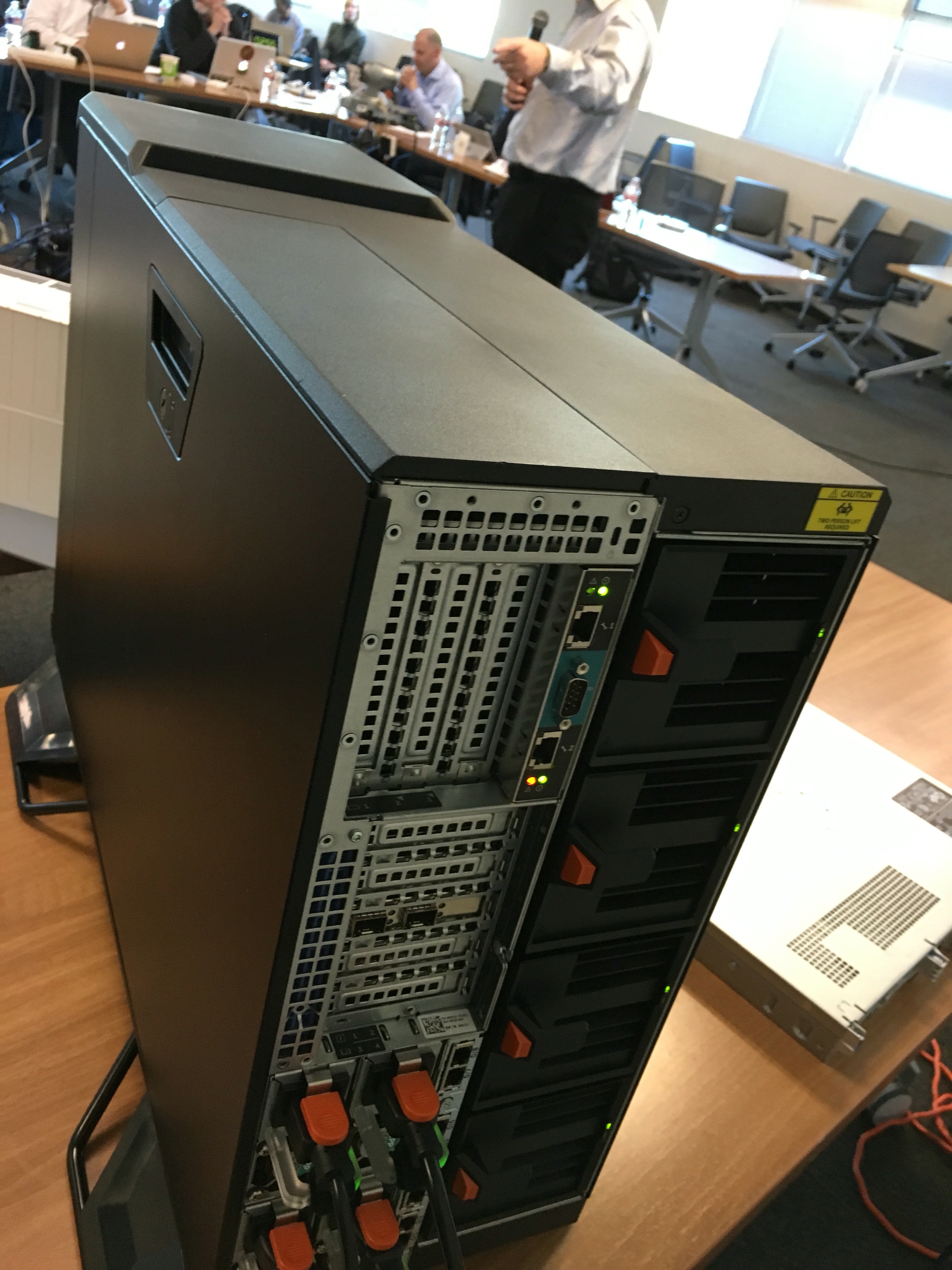
Later in the week, at TFD10 we talked with Dell, and they showed off their new VRTX Server product. Dell’s VRTX server is a very quiet, 4-server, 48TB tower or rackmount enclosure, which would make a very nice 8 or 16 socket CPU, private cloud for my home office environment (the picture doesn’t do it justice). And with a Platform9 control plane, I could offer OpenStack cloud services out of my home office, to all my neighbors around the world, for a fair but high price…

Comments?


AWS vs. Azure security setup for Linux

Strange Clouds by michaelroper (cc) (from Flickr)

I have been doing some testing with both Azure and Amazon Web Services (AWS) these last few weeks and have observed a significant difference in the security setups for both of these cloud services, at least when it comes to Linux compute instances and cloud storage.

First, let me state at the outset, all of my security setups for both AWS and Amazon was done through using the AWS console or the Azure (classic) portal. I believe anything that can be done with the portal/console for both AWS and Azure can also be done in the CLI or the REST interface. I only used the portal/console for these services, so can’t speak to the ease of using AWS’s or Azure’s CLI or REST services.

For AWS

EC2 instance security is pretty easy to setup and use, at least for Linux users:

  • When you set up an (Linux) EC2 instance you are asked to set up a Public Key Infrastructure file (.pem) to be used for SSH/SFTP/SCP connections. You just need to copy this file to your desktop/laptop/? client system. When you invoke SSH/SFTP/SCP, you use the “-i” (identity file) option and specify the path to the (.PEM) certificate file. The server is already authorized for this identity. If you lose it, AWS services will create another one for you as an option when connecting to the machine.
  • When you configure the AWS instance, one (optional) step is to configure its security settings. And one option for this is to allow connections only from ‘my IP address’, how nice. You don’t even have to know your IP address, AWS just figures it out for itself and configures it.

That’s about it. Unclear to me how well this secures your EC2 instance but it seems pretty secure to me. As I understand it, a cyber criminal would need to know and spoof your IP address to connect to or control remotely the EC2 instance. And if they wanted to use SSH/SFTP/SCP they would either have to access to the identity file. I don’t believe I ever set up a password for the EC2 instance.

As for EBS storage, there’s no specific security associated with EBS volumes. Its security is associated with the EC2 instance it’s attached to. It’s either assigned/attached to an EC2 instance and secured there, or it’s unassigned/unattache. For unattached volumes, you may be able to snapshot it (to an S3 bucket within your administration control) or delete it (if it’s unattached, but for either of these you have to be an admin for the EC2 domain.

As for S3 bucket security, I didn’t see any S3 security setup that mimicked the EC2 instance steps outlined above. But in order to use AWS automated billing report services for S3, you have to allow the service to have write access to your S3 buckets. You do this by supplying an XML-like security policy, and applying this to all S3 buckets you wish to report on (or maybe it’s store reports in). AWS provides a link to the security policy page which just so happens to have the XML-like file you will need to do this. All I did was copy this text and insert it into a window that was opened when I said I wanted to apply a security policy to the bucket.

I did find that S3 bucket security, made me allow public access (I think, can’t really remember exactly) to the S3 bucket to be able to list and download objects from the bucket from the Internet. I didn’t like this, but it was pretty easy to turn on. I left this on. But this PM I tried to find it again (to disable it) but couldn’t seem to locate where it was.

From my perspective all the AWS security setup for EC2 instances, storage, and S3 was straightforward to use and setup, it seemed pretty secure and allowed me to get running with only minimal delay.

For Azure

First, I didn’t find the more modern, new Azure portal that useful but then I am a Mac user, and it’s probably more suitable for Windows Server admins. The classic portal was as close to the AWS console as I could find and once I discovered it, I never went back.

Setting up a Linux compute instance under Azure was pretty easy, but I would say the choices are a bit overwhelming and trying to find which Linux distro to use was a bit of a challenge. I settled on SUSE Enterprise, but may have made a mistake (EXT4 support was limited to RO – sigh). But configuring SUSE Enterprise Linux without any security was even easier than AWS.

However, Azure compute instance security was not nearly as straightforward as in AWS. In fact, I could find nothing similar to securing your compute instance to “My IP” address like I did in AWS. So, from my perspective my Azure instances are not as secure.

I wanted to be able to SSH/SFTP/SCP into my Linux compute instances on Azure just like I did on AWS. But, there was no easy setup of the identity file (.PEM) like AWS supported. So I spent some time, researching how to create a Cert file with the Mac (didn’t seem able to create a .PEM file). Then more time researching how to create a Cert file on my Linux machine. This works but you have to install OpenSSL, and then issue the proper “create” certificate file command, with the proper parameters. The cert file creation process asks you a lot of questions, one for a pass phrase, and then for a network (I think) phrase. Of course, it asks for name, company, and other identification information, and at the end of all this you have created a set of cert files on your linux machine.

But there’s a counterpart to the .pem file that needs to be on the server to authorize access. This counterpart needs to be placed in a special (.ssh/authorized) directory and I believe needs to be signed by the client needing to be authorized. But I didn’t know if the .cert, .csr, .key or .pem file needed to be placed there and I had no idea how to” sign it”. After spending about a day and a half  on all this, I decided to abandon the use of an identity file and just use a password. I believe this provides less security than an identity file.

As for BLOB storage, it was pretty easy to configure a PageBlob for use by my compute instances. It’s security seemed to be tied to the compute instance it was attached to.

As for my PageBlob containers, there’s a button on the classic portal to manage access keys to these. But it said once generated, you will need to update all VMs that access these storage containers with the new keys. Not knowing how to do that. I abandoned all security for my container storage on Azure.

So, all in all, I found Azure a much more manual security setup for Linux systems than AWS and in the end, decided to not even have the same level of security for my Linux SSH/SFTP/SCP services that I did on AWS. As for container security, I’m not sure if there’s any controls on the containers at this point. But I will do some more research to find out more.

In all fairness, this was trying to setup a Linux machine on Azure, which appears  more tailored for Windows Server environments. Had I been in an Active Directory group, I am sure much of this would have been much easier. And had I been configuring Windows compute instances instead of Linux, all of this would have also been much easier, I believe.

~~~~

All in all, I had fun using AWS and Azure services these last few weeks, and I will be doing more over the next couple of months. So I will let you know what else I find as significant differences between AWS and Azure. So stay tuned.

Comments?